


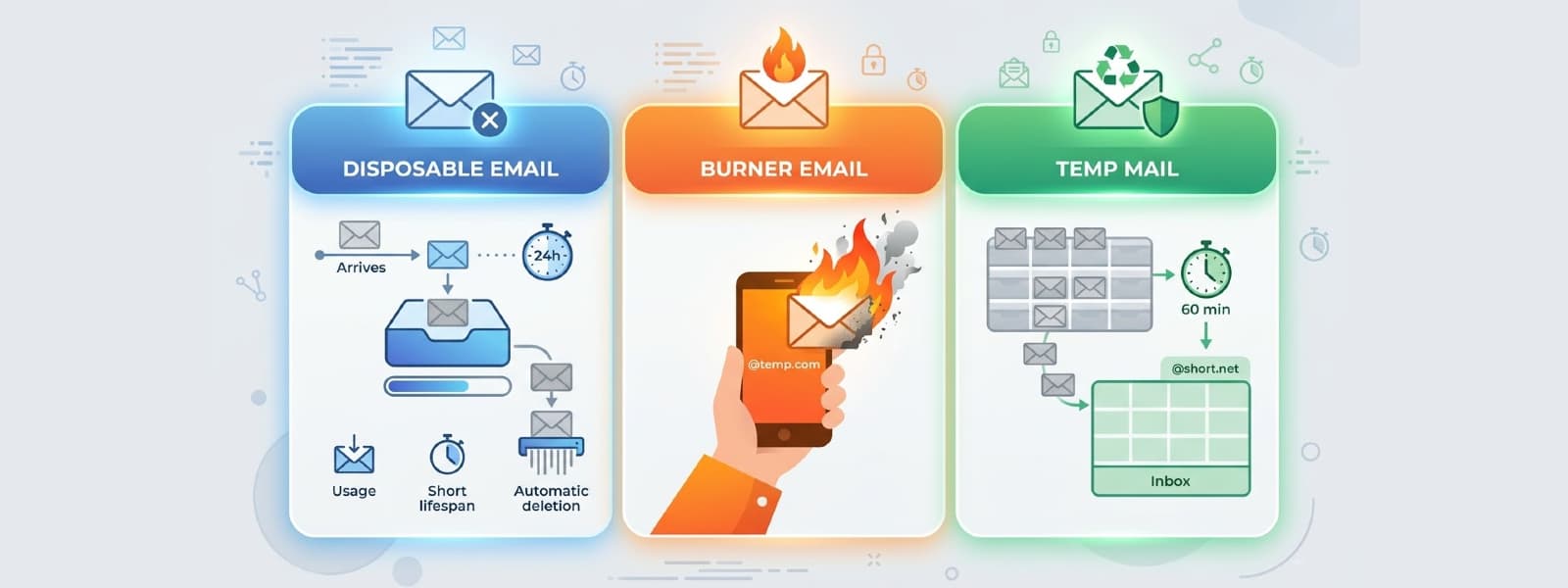
Three Terms, Three Different Things
If you've spent any time reading about email privacy, you've seen these three phrases used constantly — often in the same sentence, often meaning different things depending on who's writing. Most guides treat them as synonyms. They aren't.
Disposable email, burner email, and temp mail each describe a genuinely different approach to protecting your real inbox. They differ in how they work technically, how long they last, whether you can send from them, how traceable they are, and which situations they're actually suited for.
Using the wrong one for the wrong job doesn't just fail to help — it can actively create problems. Using a temp mail address for an account you need to keep means losing access the moment it expires. Using a burner email for a quick OTP means your real inbox is still in a marketing funnel. Understanding the difference is the whole thing.
Here's the full breakdown.
Defining Each Term Precisely
Disposable Email — The Umbrella Category
"Disposable email" is not a specific product or technology. It's a category. Any email address you intend to use temporarily and then abandon qualifies as disposable — whether that's a temp mail service, a burner Gmail account, an email alias, or a secondary address you created three years ago and never check.
When someone says "disposable email," they're describing the intended use (throw it away after use), not the technology behind it. This is why the term causes so much confusion — it covers everything else on this list.
Temp Mail — Instant, Anonymous, Receive-Only
Temp mail (also called throwaway email or anonymous inbox) is a specific type of service: one that generates a random email address instantly, with no registration, no password, and no personal information required. The inbox is receive-only, short-lived, and automatically deleted when it expires.
This is what Best-TempMail provides. Your address is ready the moment you open the page. You didn't create an account. Nothing links it to your identity. When it expires, it and every message in it are gone permanently.
Key characteristics:
- No registration — open the page and the address exists
- Receive-only — you cannot send email from it
- Automatically deleted — no cleanup required, no traces left
- Fully anonymous — no personal information, no link to your identity
- Short lifespan — 10 minutes or up to 3 days depending on what you choose
Burner Email — A Real Account Used Temporarily
A burner email is a complete email account — on Gmail, Outlook, ProtonMail, Yahoo, or similar — created with minimal or fabricated personal information and used as a throwaway identity. Unlike temp mail, it's a real account on a mainstream provider with all the features that implies.
Key characteristics:
- Requires registration — you create an actual account, even if with fake details
- Can send and receive — full bidirectional email capability
- Persists until you delete it — no automatic expiry
- Uses mainstream domains —
@gmail.com,@outlook.com, rarely blocked - Partially traceable — IP logged at account creation, account linked to any recovery details you provided
Email Alias — A Forwarding Layer Over Your Real Inbox
An email alias (offered by services like Apple Hide My Email, SimpleLogin, and AnonAddy) is a randomly generated address that forwards everything to your real inbox. Unlike temp mail, nothing is receive-only or anonymous at the infrastructure level — the alias is just a mask.
Key characteristics:
- Requires an account with the alias service
- Forwards to your real inbox — email still reaches you
- Can be killed per-alias — one alias gets breached, delete just that one
- Supports sending in many implementations, via the alias
- Not fully anonymous — the alias service knows who you are
The Full Comparison
| Feature | Temp Mail | Burner Email | Email Alias | |---|---|---|---| | Registration required | None | Yes (fake details OK) | Yes (with alias service) | | Can send email | No | Yes | Sometimes | | Lifespan | 10 min – 3 days | Until manually deleted | Until you disable it | | Auto-deletes | Yes | No | No | | Anonymous | Fully | Partially | Partially | | Domain blocked risk | Higher | Very low | Low | | Identity link | None | Weak (IP at signup) | Service knows you | | Best for | Quick signups, OTPs, testing | Long-term fake identity | Ongoing privacy layer | | Setup time | 0 seconds | 5–10 minutes | 5 minutes + account |
Which One Is Right for Each Situation?
Use Temp Mail When:
You need a verification code or OTP right now. Open Best-TempMail, copy the address, paste it into the form, get the code, done. The 10-minute inbox is designed for exactly this. No setup, no cleanup.
You're evaluating a SaaS product or AI tool. You want to see what the product actually does, not what happens when you enter a marketing funnel. The 3-day inbox gets you through the gate and holds any follow-up emails long enough for a proper evaluation. If the product earns it, update to your real address in account settings.
You're a developer or QA engineer. Clean, isolated inboxes per test run. No shared state between tests. No accidental production triggers. No inbox clutter from staging environments. Unlimited addresses, no throttle.
You want zero data trail. Temp mail is the only option on this list that leaves nothing connecting the address to you. No account, no IP logged to an identity, no forwarding chain to a real inbox.
You need a gated download, forum signup, or one-time access. Quick in, quick out. The address is already expired before any marketing campaign can even be compiled.
Use a Burner Email When:
The platform blocks disposable domains. Some services — particularly financial platforms, certain social networks, and enterprise tools — check email domains against blocklists and reject known temp mail providers. A Gmail or Outlook account sails through every check.
You need to send email from the address. Temp mail is receive-only by design. If you need to reply, correspond, or initiate contact, a burner email on a mainstream provider is the only option that works here.
You need the account to last longer than a few days. If you're creating a secondary identity for an ongoing purpose — a community you want to participate in semi-anonymously, a research project, a long-running software trial — a burner email persists as long as you need it.
You're testing a service that has multi-day onboarding emails. Some SaaS products spread onboarding over a week or more. If your 3-day temp mail won't cover the full cycle, a burner account on a mainstream provider solves it.
Use an Email Alias When:
You trust the service but want to isolate it. Email aliases make sense for services you genuinely want to hear from — newsletters you've chosen, stores you shop from regularly, services you pay for — where you want delivery to your real inbox but with an off-switch if things go wrong.
You want the ability to kill one leak without rebuilding everything. If one alias gets breached or sold, you disable that alias. Everything else continues normally.
The Key Risks to Know About Each
Temp Mail Risks
Domain blocking. Temp mail domains are known and some platforms blocklist them. Good providers like Best-TempMail maintain multiple domains to reduce this, but if a platform specifically targets disposable email, you may need a burner account as a fallback.
Receive-only. You cannot reply to, initiate, or forward email from a temp mail address. This is a design choice (it prevents abuse) but it's a hard limitation.
Short window. If you need the address weeks later for account recovery, it's gone. Never use temp mail for anything where future access matters.
Burner Email Risks
IP logged at creation. When you create a Gmail or Outlook account, your IP address is recorded. That's a weak link to your identity. Not meaningful for most use cases, but worth knowing.
Not automatically deleted. When you're done with a burner account, you have to manually go back and delete it. Many people don't. Unused accounts accumulate.
Mainstream providers comply with legal requests. A Gmail account is subject to Google's cooperation with law enforcement. A temp mail inbox with no account attached is harder to trace and subpoena.
Email Alias Risks
The alias service knows who you are. Whatever alias service you use holds the mapping between your alias and your real address. That's a third party with access to your email identity.
Forwarding chains can expose metadata. Emails forwarded through alias services may contain headers that reveal the forwarding mechanism, which sophisticated senders can detect.
The Smartest Approach: Use All Three
These tools aren't mutually exclusive. The most effective privacy posture uses each one where it fits:
- Temp mail for quick signups, OTPs, trials, testing, and anything you'll need for a day or less
- Burner email for accounts that need to last longer or where you need sending capability
- Email aliases for ongoing services you trust but want to isolate from your real address
This layered approach means no single breach, sale, or leak can reach your real inbox — because for most of what you do online, your real inbox was never involved.
Quick Decision Guide
Need an OTP or verification code right now? → 10-minute temp mail
Evaluating a SaaS trial or AI tool? → 3-day temp mail
Platform is blocking disposable domains? → Burner Gmail or Outlook
Need to send from the address? → Burner email
Ongoing service you trust but want to isolate? → Email alias (SimpleLogin, Apple Hide My Email)
Developer or QA testing? → 3-day temp mail, unlimited addresses
Want zero data trail, fully anonymous? → Temp mail — the only option that leaves nothing
Keep Reading
- How Temporary Email Protects Your Privacy Online
- What Is Disposable Email? The Complete Guide
- The Complete Guide to Email Privacy
- How to Avoid Spam: 7 Proven Strategies
- How Anonymous Email Protects You From Phishing
Not sure which to start with? Your free temp mail is already waiting — no signup, no registration, ready in under two seconds. Try it once and you'll understand the difference immediately.
Your temp mail is ready right now
No signup, no password. A disposable inbox waiting the moment you open the page.
Get My Free Temp Mail →